
Collaborative development is defined as a methodology where multiple people or teams jointly create software by combining expertise, sharing tools, and communicating continuously toward a common goal. Unlike traditional solo workflows, this approach distributes responsibility across developers, designers, and project managers who contribute in real time or asynchronously. Tools like Slack, Visual Studio Live Share, and Jama Connect make this coordination possible at scale. The result is faster delivery, fewer blind spots, and software that reflects the full range of your team's knowledge.
What does collaborative development mean for software teams?
Collaborative development means every contributor, regardless of role or location, works within a shared system rather than in isolation. Developers write and review code together. Designers align visuals with functional requirements. Project managers track progress without chasing status updates. The process replaces handoffs with continuous interaction.
The standard industry term for the technology that powers this approach is a Collaborative Development Environment, or CDE. A CDE is a software platform supporting distributed teams with shared workspaces that enable real-time or asynchronous communication, documentation, and coordinated deliverables. CDEs evolved directly from traditional Integrated Development Environments (IDEs), which were built for individual productivity. CDEs extend that foundation to serve team-wide needs.

The collaborative development definition goes beyond just sharing a codebase. It includes shared decision-making, joint problem-solving, and a culture where no single person holds all the context. That shift in ownership is what separates collaborative development from simply using a shared server.
How do collaborative development environments actually work?
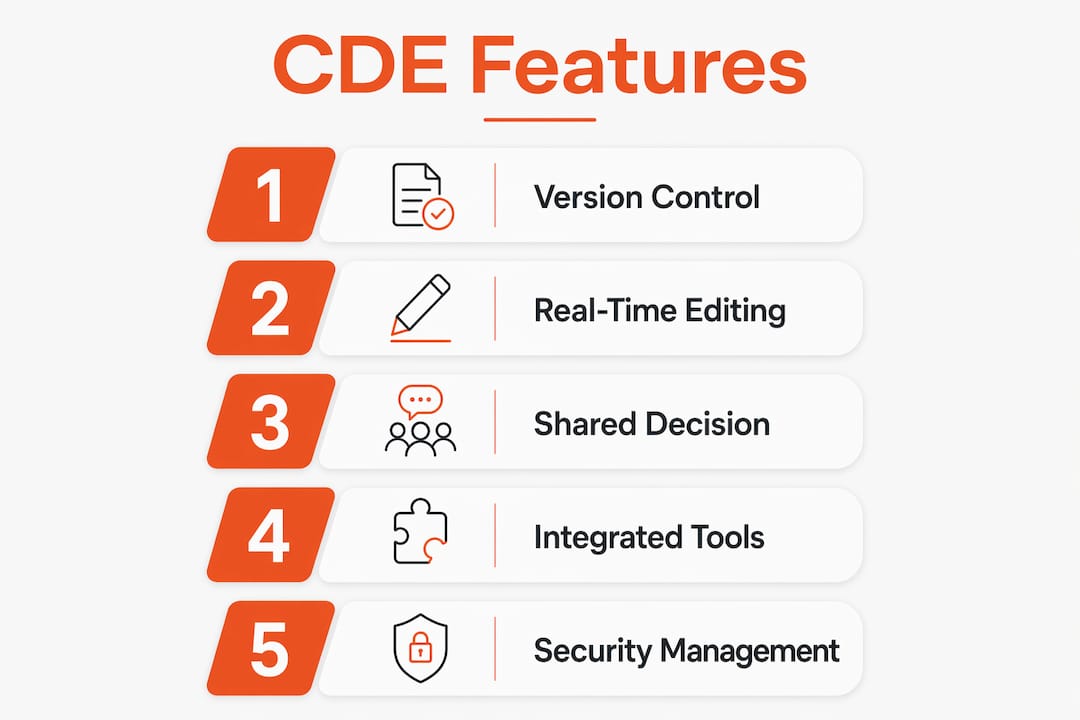
A CDE is the operational backbone of any collaborative software project. CDEs include version control, issue tracking, code review tools and evolved from IDEs to focus on team-wide productivity. Each of these features solves a specific coordination problem that isolated tools cannot address alone.
Here is what a fully functional CDE typically provides:
- Version control: Tools like Git track every change, who made it, and why. No work is ever lost or overwritten without a record.
- Issue tracking: Platforms like Microsoft Azure DevOps let teams log bugs, assign tasks, and monitor resolution in one place.
- Code review workflows: Structured review processes catch errors before they reach production and spread knowledge across the team.
- Documentation hubs: Shared wikis and inline comments keep institutional knowledge accessible to everyone.
- Communication channels: Integrated messaging, as seen in Slack or Microsoft Teams, keeps conversation tied to the work itself.
Real-time collaboration allows two developers to edit the same file simultaneously, as Visual Studio Live Share enables. Asynchronous collaboration, by contrast, lets a developer in Austin push a commit that a reviewer in Fayetteville evaluates the next morning. Both modes are valid. Most teams use both depending on the task.
Pro Tip: Match your CDE to your team's actual size and workflow complexity. A five-person team building a local business app does not need the same toolchain as a 200-person enterprise. Overbuilt environments create friction, not efficiency.
| CDE Feature | Primary Benefit | Example Tool |
|---|---|---|
| Version control | Tracks all changes with full history | Git, GitHub |
| Issue tracking | Centralizes task assignment and bug logs | Microsoft Azure DevOps |
| Real-time editing | Enables simultaneous code contributions | Visual Studio Live Share |
| Documentation | Preserves shared knowledge and decisions | Confluence, Notion |
| Communication | Keeps discussion tied to specific work | Slack, Microsoft Teams |
What methodologies define collaborative development in practice?
Collaborative software development is not a single practice. It is a collection of methodologies that teams apply based on project type, team size, and delivery timeline.
The most widely used approaches include:
- Pair programming: Two developers work at one workstation, one writing code and one reviewing in real time. This catches logic errors immediately and transfers knowledge faster than any code review process.
- Group debugging: The full team or a subset examines a failing system together. Multiple perspectives surface root causes that one developer might miss entirely.
- Code reviews: A structured process where at least one other developer reviews every pull request before it merges. This is the most common entry point for teams new to collaborative practices.
- Integrated project boards: Shared Kanban or sprint boards in tools like Jira or Azure DevOps give every team member visibility into what is in progress, blocked, or complete.
- Live co-editing sessions: Using Visual Studio Live Share or similar tools, developers follow each other's cursors in real time during complex problem-solving sessions.
Collaborative web development integrates designers, developers, and project managers working together with shared coding, integrated project boards, and real-time communication tools like Slack. That integration prevents siloed task division, which is the single most common reason software projects miss deadlines. When a designer finishes a component without knowing the developer's constraints, rework follows. Shared workflows eliminate that gap.
IBM Rational Rose XDE was an early example of a tool designed to support collaborative modeling across roles. Modern equivalents go further by integrating directly into deployment pipelines.
Pro Tip: Never divide a project so that each person owns only their lane with no overlap. Assign at least one shared responsibility per sprint, whether that is a joint code review, a shared documentation task, or a cross-role planning session. Overlap creates alignment.
What are the biggest challenges in collaborative development?
Collaborative development delivers real advantages, but the tools and processes that support it carry genuine limitations. Knowing these in advance lets you plan around them rather than discover them mid-project.
The most common technical and organizational challenges include:
- Latency and lagging: Real-time tools like Visual Studio Live Share can suffer from network delays that disrupt the editing experience, particularly for distributed teams across time zones.
- Permission conflicts: When multiple contributors have editing rights simultaneously, conflicting changes create merge errors that require manual resolution.
- Lack of traceability: In cross-company projects, data shared through file-based exchanges often loses context. A spreadsheet sent by email carries no audit trail.
- Fragmentation across organizations: Different companies use different tools, formats, and workflows. Connecting those systems without data loss is a persistent challenge.
- Cultural resistance: Teams accustomed to solo work often resist shared ownership. The technology is rarely the barrier. The behavior change is.
A 2025 ACM study found developers use real-time collaborative programming in 18 distinct scenarios but that current tools lack key features like stable live editing and efficient conflict handling. That finding matters because it confirms that even experienced teams hit walls with today's best tools. Latency and permission management remain primary technical challenges in real-time collaborative programming, requiring readiness for conflict resolution.
"Current collaboration tools often fail user expectations despite widespread adoption, highlighting a gap between tool capability and developer needs." — ACM Study on Visual Studio Live Share, 2025
Pro Tip: Before rolling out any real-time collaboration tool to a full team, run a two-week pilot with three to four people on a low-stakes project. Document every friction point. Fix the workflow before scaling it.
Shared environment vs. file exchange: which model fits your team?
Effective collaboration requires clear categorization of needs to choose between shared environments, synchronized integrations, or file-based exchanges to align processes, security, and traceability. Each model carries different trade-offs between integration depth and operational complexity.
Jama Connect categorizes cross-company collaborative development into three models. Understanding each one helps you match the right approach to your actual project structure.
| Model | Integration Level | Data Sharing Frequency | Best For | Complexity |
|---|---|---|---|---|
| Shared environment | High | Continuous | Internal teams, single organization | Low |
| Synchronized integration | Medium | Scheduled or triggered | OEM-supplier co-development | Medium |
| File-based exchange | Low | Manual, periodic | Regulated industries, external partners | Low to medium |
| Cross-company shared | High | Real-time | Joint ventures, co-development programs | High |
Choosing an overly fragmented or file-exchange based model for real-time needs leads to delays and data fragmentation. A supplier sending weekly spreadsheets to an OEM cannot support a daily sprint cycle. The model must match the tempo of the work.
Business leaders must explicitly define their collaboration needs and select suitable integration models to prevent fragmented data and delays in product validation. That means asking three questions before selecting any tool: How often does data need to move between parties? Who needs read versus write access? What regulatory or audit requirements apply?
For most Northwest Arkansas businesses building custom web or mobile applications, a shared environment model with a single internal team is the right starting point. Complexity should scale with actual need, not anticipated need.
What are the real business benefits of collaborative development?
The benefits of collaborative development are measurable and directly tied to project outcomes. Collaboration in development improves speed to market, product quality, team alignment, and regulatory certification processes. Each of those outcomes has a direct business value.
Here is how those benefits show up in practice:
- Faster delivery: Shared coding and parallel workstreams reduce the sequential bottlenecks that slow solo development. Two developers reviewing each other's work in real time catch bugs before they compound.
- Higher quality output: Continuous code reviews and shared knowledge bases mean errors get caught earlier and solutions get better through collective input.
- Stronger team alignment: When everyone works in the same environment with the same visibility, there are fewer surprises at handoff. The project manager sees what the developer sees.
- Regulatory readiness: For projects in healthcare, logistics, or finance, integrated collaboration models create the audit trails that certification processes require.
- Knowledge retention: Shared documentation and code reviews mean that when one team member leaves, their knowledge stays in the system.
Ozark Freight Partners, a Northwest Arkansas logistics company, achieved a 40% reduction in operational calls after Maestroforge built a custom carrier portal using a tightly collaborative development process. The project succeeded because developers, the client's operations team, and project managers worked within a shared feedback loop from day one. That alignment eliminated the rework cycles that typically inflate project timelines.
Pro Tip: Set a collaboration norm at the project kickoff, not after the first conflict. Define who reviews what, how often the team syncs, and what "done" means for each role. Written norms prevent the ambiguity that kills collaborative momentum.
Key takeaways
Collaborative development succeeds when teams choose the right integration model, adopt tools that match their workflow, and establish shared norms before the first line of code is written.
| Point | Details |
|---|---|
| Collaborative development definition | Multiple contributors share tools, responsibility, and communication to build software together. |
| CDEs power the process | Platforms like Azure DevOps and Visual Studio Live Share provide the infrastructure for team-wide coordination. |
| Model selection is critical | Choose between shared environments, synchronized integrations, or file-based exchanges based on your team structure and regulatory needs. |
| Real tools have real limits | A 2025 ACM study confirmed that latency, permissions, and conflict handling remain unsolved challenges in current real-time tools. |
| Business impact is measurable | Collaborative approaches improve delivery speed, code quality, team alignment, and audit readiness. |
What i have learned running collaborative projects
Why most teams get the model wrong first
The technology question in collaborative development is actually the easier one. Most teams can find a CDE that works. The harder question is which integration model fits the actual relationship between contributors. I have watched capable teams choose a shared environment model for a cross-company project where neither party was willing to give the other full data access. The result was a hybrid that satisfied no one and created more reconciliation work than a simple file exchange would have.
The lesson is that your collaboration model is a reflection of your organizational trust level, not just your technical requirements. If two companies are co-developing a product but neither will share their full requirements database, a synchronized integration with clear data boundaries is the honest answer. Pretending you have a shared environment when you do not creates fragmentation that no tool can fix.
Leadership also tends to underestimate the cultural lift. Pair programming feels inefficient to developers who have always worked alone. Code reviews feel like criticism to people who have never had their work examined publicly. These reactions are normal. The fix is not better software. The fix is explicit norms, modeled from the top, applied consistently from the first sprint. Teams that track milestones collaboratively from the start build the shared accountability that makes the tools worth using.
— Kaleb
Build software that actually works with your team
Collaborative development is not just a methodology. It is the difference between a product that reflects your team's full capability and one that reflects whoever had the most context at the end.
Maestroforge builds custom web and mobile applications for Northwest Arkansas businesses using a tightly collaborative process that keeps clients inside the workflow, not waiting outside it. From the first planning session to final deployment, you work alongside a dedicated team that treats your business logic as seriously as the code. If you are ready to see what custom software development looks like when collaboration is built in from day one, reach out to Maestroforge. Local context, real craftsmanship, and a process that actually fits how your team works.
FAQ
What is the collaborative development definition?
Collaborative development is a software methodology where multiple contributors, including developers, designers, and project managers, jointly create and improve software through shared tools, continuous communication, and distributed responsibility.
How does a collaborative development environment differ from an IDE?
A traditional IDE is built for individual productivity, while a CDE extends that foundation to support team-wide coordination through version control, issue tracking, code review, and real-time or asynchronous communication.
What are the three main collaboration integration models?
The three models are shared environments, synchronized integrations, and file-based exchanges. Each differs in integration depth, data sharing frequency, and suitability for internal versus cross-company projects.
What are the biggest challenges in collaborative software development?
A 2025 ACM study identified latency, permission conflicts, and unstable live editing as the primary technical challenges, alongside cultural resistance to shared ownership in teams accustomed to solo workflows.
How do you choose the right collaborative development model?
Define how often data must move between contributors, who needs write access versus read access, and what regulatory or audit requirements apply. Then match those answers to the shared environment, synchronized, or file-based exchange model that fits.